

Bilingual principles
English
Sovereign intelligence you can steer by.
العربية
ذكاء سيادي تهتدي به.

Two languages, one voice
North is a UAE company. Many of the people we serve read Arabic first. Arabic is not a translation layer added at the end: it is a first-class expression of the brand, designed with the same care as English.
This section sets the rules for Arabic and bilingual work. The rest of the hub applies too; where Arabic needs something different, it is written here. Four pages cover it:
| Page | What it covers |
|---|---|
| Bilingual principles | Which language leads, bilingual logos, names in Arabic, layout models, numerals and dates |
| Arabic typography | IBM Plex Sans Arabic, sizes, line height, weights, punctuation and mixed scripts |
| Right-to-left layout | Mirroring rules, icons, charts, diagrams, product UI and templates |
| Writing in Arabic | Language and tone, forms of address, UI copy, the Arabic glossary and translation workflow |
Principles
- Equal, not identical. Arabic and English carry the same message with the same prominence, each written natively. Never a word-for-word translation.
- Arabic is designed, not flipped. Arabic layouts start from a mirrored grid and are then checked by eye; automatic mirroring is only the first step.
- One language per surface where possible. Separate Arabic and English versions read better than a crowded bilingual one. Go bilingual when the occasion requires it: government documents, signage, invitations, co-branded material.
- Respect the reader. Correct titles, correct grammar, and a native reviewer on every Arabic line.
Which language leads
When both languages share a surface, the leading language goes first: on the right or on top for Arabic, on the left or on top for English.
| Audience and occasion | Leads | Format |
|---|---|---|
| UAE federal and local government, official correspondence | Arabic | Bilingual, or Arabic with an English version |
| Public signage, events and invitations in the UAE | Arabic | Bilingual. Follow local signage regulations. |
| Regional enterprise customers | Ask the customer; default Arabic for public-facing material | Separate versions preferred |
| Technical documentation, product UI, developer content | Reader's choice | Separate, complete language versions |
| International partners and press | English | English, Arabic version on request |
| Social media | Per post | Separate posts per language; no bilingual images |
Bilingual logo lockups
Interim lockups with the Arabic name
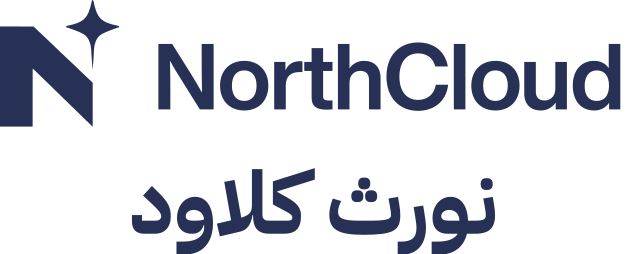
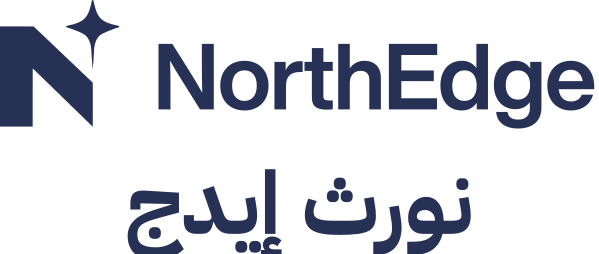
North does not yet have a custom Arabic logotype. Until one is drawn, use the interim bilingual lockups: the Latin logo or sub-brand lockup, a thin rule, and the Arabic name set in IBM Plex Sans Arabic Bold.
- Use the bilingual lockup where an Arabic name must appear with the logo: government documents, bilingual signage, invitations, certificates.
- Everywhere else, use the standard logo, in Arabic layouts too. The Latin logo is the master mark.
- Horizontal by default; stacked where width is limited.
- The rule is 1 unit wide at 50% opacity; gaps on both sides are equal.

Names in Arabic
Keep the Latin name; transliterate only when Arabic-only text is required
- Default: brand and product names stay in Latin script inside Arabic text: تعمل NorthStar على أجهزتكم. This applies to product UI, documentation, marketing and social.
- Arabic-only documents (official letters, Arabic press releases, legal text in Arabic): use the approved Arabic name. On first mention, add the Latin name in brackets: نورث ستار (NorthStar).
- Descriptive words translate; names don't. North Academy becomes أكاديمية نورث: the descriptor comes first in Arabic.
- Feature names (Mai, Shaheen, Masar) stay in Latin script in product and documentation. Shaheen may appear as شاهين in Arabic marketing.
| Name | Arabic (proposed) |
|---|---|
| North | نورث |
| NorthStar | نورث ستار |
| NorthCloud | نورث كلاود |
| NorthEdge | نورث إيدج |
| NorthStar Admiral | نورث ستار أدميرال |
| NorthEdge Horizon | نورث إيدج هورايزن |
| North Academy | أكاديمية نورث |
| North Identity | هوية نورث |
| Shaheen | شاهين |
Bilingual layouts
Choose one of four models. Don't mix them in one piece.
- Give both languages the same visual weight. Arabic sizes are set by the ratio on the typography page, not by matching point sizes.
- Keep matching content aligned: the same paragraph starts at the same height in both columns.
- Logos appear once, not once per language.
Numerals
Western digits by default
- Use Western Arabic digits (0–9) in Arabic text by default: they are standard in UAE government and business communication and in all digital products.
- Use Eastern Arabic digits (٠–٩) only when a client's document standard requires them, and then throughout the document.
- Never mix the two systems in one piece.
- Phone numbers, codes, IDs and version numbers are always Western digits, written left to right.
| Default | On request | |
|---|---|---|
| Digits | 2026 · 48 · 15 | ٢٠٢٦ · ٤٨ · ١٥ |
| Percent | 63% | ٦٣٪ |
| Decimal | 4.5 | ٤٫٥ |
Dates and time
- Gregorian dates by default: 13 أكتوبر 2026. Use the Gulf month names (يناير، فبراير، مارس…).
- Add the Hijri date alongside only in official government correspondence where it is customary, in the form [day month year]هـ, with م after the Gregorian year.
- Days of the week: الاثنين إلى الجمعة. The UAE working week is Monday to Friday.
- Times: 24-hour in official and technical text, ص / م in marketing. Always give the time zone (بتوقيت الإمارات).
Checklist
Do
- Decide the leading language by audience before you start.
- Write Arabic natively, then have it reviewed by a second native speaker.
- Use the bilingual lockups only where the Arabic name is required.
- Keep product names in Latin script by default.
- Use Western digits consistently.
Don't
- Machine-translate and publish.
- Flip an English layout and call it Arabic.
- Invent Arabic names for products or features.
- Put two logos on one page, one per language.
- Mix Eastern and Western digits.
Last updated on 14 October 2026